
Installation
Follow these steps to install sd-dumpsters on your FiveM server.
Dependencies
Ensure the following resources are installed and running before sd-dumpsters:
| Dependency | Options |
|---|---|
| Framework | qb-core or es_extended |
| Library | ox_lib |
| Database | oxmysql |
| Target | ox_target / qb-target / qtarget (or use built-in TextUI fallback) |
| Inventory | Any supported inventory, or the framework default |
Supported Inventory Systems
The script auto-detects which inventory system is running. The following are supported:
ox_inventorycodem-inventorytgiann-inventoryjaksam_inventoryqs-inventory-proorigen_inventory- Framework default (ESX or QBCore built-in inventory)
INFO
ox_inventory is required if you want to use the stash mode (Config.Stashes) or the loot-to-stash mode (Config.LootToStash). All other features work with any supported inventory.
Step 1: Drag and Drop
- Download the latest release of
sd-dumpsters - Extract the folder into your server's
resourcesdirectory - Add
ensure sd-dumpstersto yourserver.cfg
TIP
The script runs auto-setup on first start. The database tables will be created automatically via oxmysql.
Step 2: Add Items
You must register two core items in your inventory system: powersaw and bottle_cap. These correspond to the config keys Config.Items.Grinder ('powersaw') and Config.Items.BottleCap ('bottle_cap').
The power saw is used to open locked dumpsters. Bottle caps are the alternative currency for the Hobo King shop.
-- Add to ox_inventory/data/items.lua

['powersaw'] = {
    label = 'Powersaw',
    weight = 2500,
    stack = false,
    close = true,
    description = 'A heavy-duty power saw for cutting through metal.'
},

['bottle_cap'] = {
    label = 'Bottle Cap',
    weight = 1,
    stack = true,
    close = true,
    description = 'A currency used among scavengers.'
},-- Add to qb-core/shared/items.lua
['powersaw'] = {
name = 'powersaw',
label = 'Powersaw',
weight = 2500,
type = 'item',
image = 'powersaw.png',
unique = false,
useable = true,
shouldClose = true,
description = 'A heavy-duty power saw for cutting through metal.'
},
['bottle_cap'] = {
name = 'bottle_cap',
label = 'Bottle Cap',
weight = 1,
type = 'item',
image = 'bottle_cap.png',
unique = false,
useable = false,
shouldClose = true,
description = 'A currency used among scavengers.'
},-- Register items in your ESX items table
INSERT INTO `items` (`name`, `label`, `weight`, `rare`, `can_remove`) VALUES
('powersaw', 'Powersaw', 2500, 0, 1),
('bottle_cap', 'Bottle Cap', 1, 0, 1);WARNING
You also need to register all loot table items that appear in Config.DumpsterLoot, Config.Bags.Loot, Config.HoboCamps.Loot, Config.HoboLoot, Config.Shop, and Config.Recycling.Items in your inventory system. The default config uses items like metalscrap, plastic, glass, rubber, steel, garbage, paperbag, cleaningkit, walkstick, lighter, toaster, lockpick, 10kgoldchain, ruby_earring_silver, goldearring, antique_coin, rims, md_silverearings, weapon_bottle, low_quality_meth, weapon_knuckle, weapon_switchblade, and all recycled output items. Refer to Config.ItemsMetadata in configs/config.lua for the full list with labels.
Step 3: Copy Item Images
Copy the provided item images from the sd-dumpsters/images/ folder into your inventory resource's image directory:
- ox_inventory:
ox_inventory/web/images/ - qb-inventory:
qb-inventory/html/images/ - qs-inventory:
qs-inventory/html/images/
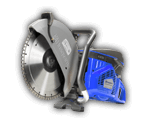
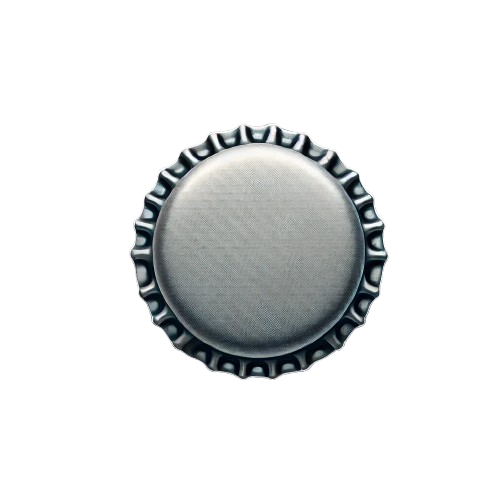
The script includes images for bottle_cap.png and powersaw.png. Click any image to download it, or use Download All to grab them all at once.
WARNING
If the images are not copied, items will display without icons in the player's inventory. Make sure to restart your inventory resource after adding images.
Step 4: Start the Server
- Ensure all dependencies start before sd-dumpsters in your
server.cfg - Start or restart your server
- The script will auto-detect your framework and create the required database tables on first boot
ensure oxmysql
ensure ox_lib
ensure qb-core
ensure ox_target
ensure ox_inventory
ensure sd-dumpsters
INFO
The ensure order matters. sd-dumpsters must load after all of its dependencies. The framework and target system are auto-detected -- no manual configuration is needed for basic setup.
File Structure
The script organizes its files as follows:
sd-dumpsters/
├── fxmanifest.lua
├── configs/
│   ├── config.lua          -- Main configuration
│   ├── rats.lua            -- Rat companion configuration
│   └── recycler.lua        -- Recycler configuration
├── bridge/
│   ├── init.lua            -- Framework auto-detection
│   ├── shared.lua          -- Locale system and utilities
│   ├── client.lua          -- Client-side bridge (notifications, progress, target, inventory, minigames)
│   └── server.lua          -- Server-side bridge (player functions, logging)
├── client/
│   ├── main.lua            -- Core client logic
│   ├── rats.lua            -- Rat companion client
│   └── recyclers.lua       -- Recycler client
├── server/
│   ├── main.lua            -- Core server logic
│   ├── rats.lua            -- Rat companion server
│   ├── recyclers.lua       -- Recycler server
│   └── logs.lua            -- Logging configuration
├── locales/
│   ├── en.json             -- English
│   ├── es.json             -- Spanish
│   ├── de.json             -- German
│   ├── fr.json             -- French
│   └── ar.json             -- Arabic
└── images/
    ├── bottle_cap.png
    └── powersaw.png