
Installation
Dependencies
Ensure the following resources are installed and running before sd-oxyrun:
| Dependency | Options |
|---|---|
| Library | sd_lib |
| Zones | PolyZone |
| Database | oxmysql |
| Interaction | ox_target / qb-target / qtarget (or use TextUI) |
Step 1: Add the Resource
- Download
sd-oxyrunfrom Keymaster - Extract it into your server's
resourcesdirectory - Add
ensure sd-oxyrunto yourserver.cfgafter all dependencies
ini
ensure sd_lib
ensure ox_lib
ensure PolyZone
ensure oxmysql
ensure ox_target
ensure sd-oxyrun
TIP
The sd_oxyrun database table is created automatically on first start. No manual SQL required.
Step 2: Add Items
Register the package item and reward items in your inventory system:
lua
-- Add to ox_inventory/data/items.lua

['bands'] = {
    label = 'Band Of Notes',
    weight = 100,
    stack = true,
    close = true,
    description = 'A band of small notes..',
},
['rolls'] = {
    label = 'Roll Of Small Notes',
    weight = 100,
    stack = true,
    close = true,
    description = 'A roll of small notes..',
},
['package'] = {
    label = 'Suspicious Package',
    weight = 10000,
    stack = false,
    close = true,
    description = 'A mysterious package.. Scary!',
},
['oxy'] = {
    label = 'Prescription Oxy',
    weight = 0,
    stack = true,
    close = true,
    description = 'The Label Has Been Ripped Off',
},
lua
-- Add to qb-core/shared/items.lua

['bands']   = { name = 'bands',   label = 'Band Of Notes',       weight = 100,   type = 'item', image = 'bands.png',   unique = false, useable = false, shouldClose = true, description = 'A band of small notes..' },
['rolls']   = { name = 'rolls',   label = 'Roll Of Small Notes', weight = 100,   type = 'item', image = 'rolls.png',   unique = false, useable = false, shouldClose = true, description = 'A roll of small notes..' },
['package'] = { name = 'package', label = 'Suspicious Package',  weight = 10000, type = 'item', image = 'package.png', unique = true,  useable = true,  shouldClose = true, description = 'A mysterious package.. Scary!' },
['oxy']     = { name = 'oxy',     label = 'Prescription Oxy',    weight = 0,     type = 'item', image = 'oxy.png',     unique = false, useable = true,  shouldClose = true, description = 'The Label Has Been Ripped Off' },
sql
-- Import sd-oxyrun/[SQL]/ESX/items.sql or run manually:

INSERT INTO `items` (`name`, `label`, `weight`) VALUES
  ('bands', 'Band Of Notes', 1),
  ('rolls', 'Roll Of Small Notes', 1),
  ('package', 'Suspicious Package', 100),
  ('oxy', 'Prescription Oxy', 0);
Also ensure any rare items configured in the level rewards exist in your inventory system.
Step 3: Copy Item Images
Copy the item images from sd-oxyrun/images/ to your inventory's image folder:
| Inventory | Image Path |
|---|---|
| ox_inventory | ox_inventory/web/images/ |
| qb-inventory / ps-inventory | <inventory>/html/images/ |
| qs-inventory | qs-inventory/html/images/ |
| codem-inventory | codem-inventory/html/itemimages/ |
| origen_inventory | origen_inventory/ui/images/ |
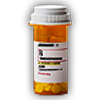
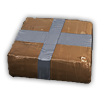
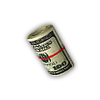
Oxy Run Item Images4 images

TIP
If you are using a custom inventory, place the images wherever your inventory loads item icons from.
Step 4: Start and Verify
- Start your server
- Check the server console for any errors
- The Boss NPC spawns at one of 3 random locations
- Ensure the minimum police requirement is met before starting a run
WARNING
Make sure sd_lib is started before sd-oxyrun in your server.cfg, or the resource will fail to load.
Database Table
| Column | Type | Purpose |
|---|---|---|
Identifier | VARCHAR(255) | Player identifier (license, steam, etc.) |
XP | INT | Total reputation experience points |