
sd-phone Link
sd-computers is complete on its own. If sd-phone v1.0.7 or newer is running too, a computer becomes another screen for the character's phone. Nothing needs setting up: it is detected live, so start or stop sd-phone at any time and the next computer opened follows.
| With sd-phone | Without | |
|---|---|---|
The phone's mail: the same @lifeinvader.com accounts, inbox (plus Spam), attachments, phone notifications and badges | The built-in @lsmail.com Mail | |
| Messages | New app: the phone's text threads. Read, reply, start a thread to a number or contact; incoming texts toast on the desktop | Not installed |
| Notes | New app: the phone's notes. Edit the text, view their photos and sketches | Not installed |
| Contacts | New app: the phone's address book. Add and remove contacts, and message one straight from it | Not installed |
| Files | Also lists the phone's documents | The character's own documents only |
| Photos | Also shows the phone's gallery, to look at and to put into a document | The character's own pictures only |
| Bank | Takes its statement from the phone's banking history | The banking resource's statement, when it keeps one |
| Phone Link | New app: links the phone to the machine with a code | Not installed |
| Browser | The phone's public apps as live sites (see Browser Sites) | Only the pages written in the config |
Linking a Phone
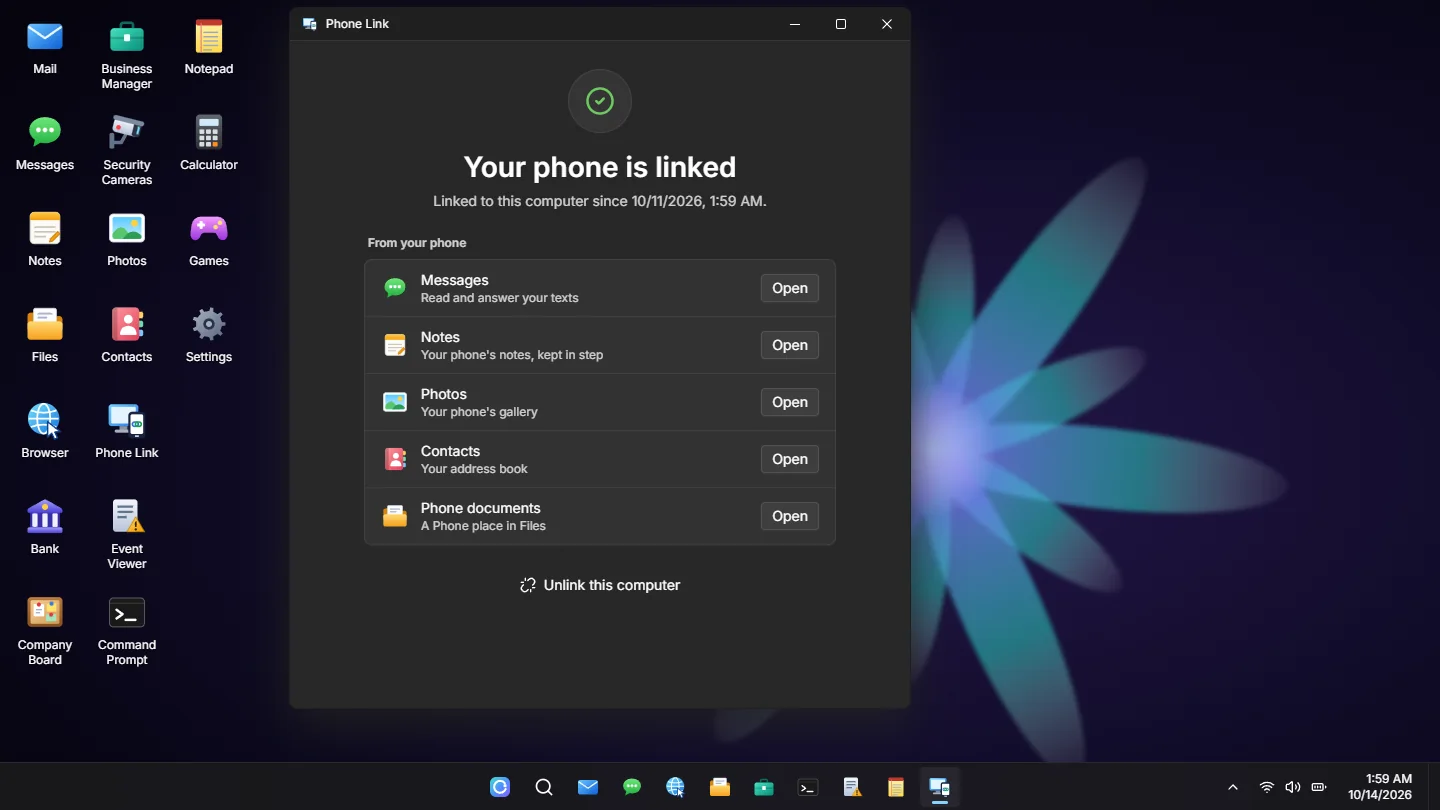
Messages, Notes, Contacts, the phone's gallery in Photos and the phone's documents in Files are not on a computer until the character has linked their phone to that machine:
- They open Phone Link and send a code to their phone. It arrives as a notification, so they need the phone on them.
- They type the six digits in. The phone's apps appear on the desktop straight away.
- They stay for that character on that machine until they press Unlink.
Every machine is linked on its own: one public PC being linked says nothing about the next. A code works for LinkCodeMinutes (5), five wrong tries use it up, and a new one can be sent every 30 seconds. Mail and the Bank statement do not wait for the link.
RequireLink = false drops the code and the app: the phone's apps are simply there.
Setup
- sd-phone's link file
server/compat/computers.luaships with sd-phone v1.0.7 and newer and is loaded by its fxmanifest. An older sd-phone has no link file, and is treated as "not installed" (one console warning): update it from its latest release. - It runs the phone's own handlers, so a text sent from a desk validates, notifies and threads exactly like one typed on the phone.
- On sd-phone's side,
set sd_phone_computerlink "sd-computers"lists the resources allowed to drive the link (sd-computers only, by default;"off"disables it).
Settings
configs/shared/phone.lua has Enabled ('auto' or false), a switch for each of Mail, Messages, Notes, Contacts, Files, Photos and Bank, RequireLink, LinkCodeMinutes and RequirePhone. See Configuration > sd-phone Link.
RequirePhone(on by default): the phone's apps, gallery and documents only for players carrying a phone. WithRequireLink, it is whether a machine that is already linked still needs the phone nearby.- Per computer:
phone = falseincomputers.luakeeps the phone's apps, its gallery and documents, and Phone Link off that machine (a police terminal, say). Mail follows the server-wide switch, so nobody sees two different inboxes. - Exports:
SendMail,MailAddressExistsandGetMailAddressesfollow the switch too: while linked they work on the phone's mailboxes, the ones players actually read.