
Installation
Supported Inventories
| Inventory | Status |
|---|---|
ox_inventory | Supported |
tgiann-inventory | Supported |
jaksam_inventory | Supported |
qs-inventory | Supported |
qs-inventory-pro | Supported |
qb-inventory | Supported |
ps-inventory | Supported |
lj-inventory | Supported |
codem-inventory | Supported |
Recommendation
We heavily recommend using ox_inventory — it's the best inventory system available and more importantly, it's completely free and open source! You won't be missing out on any features in our scripts if you use a different inventory, this is simply a recommendation.
Supported Minigames
You only need one of the following minigame resources installed. Pick whichever you prefer.
| Resource | Minigames |
|---|---|
ps-ui | ps-circle, ps-maze, ps-varhack, ps-thermite, ps-scrambler |
memorygame | memorygame-thermite |
ran-minigames | ran-memorycard, ran-openterminal |
hacking | hacking-opengame |
howdy-hackminigame | howdy-begin |
SN-Hacking | sn-memorygame, sn-skillcheck, sn-thermite, sn-keypad, sn-colorpicker |
rm_minigames | rm-typinggame, rm-timedlockpick, rm-timedaction, rm-quicktimeevent, rm-combinationlock, rm-buttonmashing, rm-angledlockpick, rm-fingerprint, rm-hotwirehack, rm-hackerminigame, rm-safecrack |
Dependencies
Ensure the following dependencies are installed and running on your server before starting:
| Dependency | Required | Notes |
|---|---|---|
| Framework | Yes | qb-core / qbx_core / es_extended |
| sd_lib | Yes | |
| ox_lib | Yes | |
| Target System | Yes | ox_target / qb-target / qtarget / TextUI fallback |
| Minigame | Yes | Any of the supported minigames listed above |
| InteractSound | Optional | For SFX |
| Inventory | Yes | Any of the supported inventories listed above |
TIP
Framework, target system, and inventory are all automatically detected — no configuration needed.
1 Add the Resource
- Download the latest version of
sd-oilrigfrom the CFX Portal - Extract it into your server's
resourcesdirectory - Ensure the resource is started in your
server.cfg(orresources.cfg, in case you load resources differently). Simply ensuring the sub-folder (i.e.ensure [sd]) will work too, provided dependencies are started in a separate sub-folder before. Here's an example:
ensure sd_lib
ensure ox_lib
ensure ox_target
ensure qb-core

ensure sd-oilrig
2 Add Items
Register the required items in your inventory system:
['laptop_pink'] = {
    label = 'Pink Laptop',
    weight = 5000,
    stack = false,
    close = true,
    description = 'A pink laptop used for hacking oil rig terminals',
    consume = 0,
},
['security_card_oil'] = {
    label = 'Pink USB Dongle',
    weight = 1500,
    stack = false,
    close = true,
    description = 'A pink USB dongle for accessing the oil rig security system',
    consume = 0,
},
['oilbarrel'] = {
    label = 'Oil Barrel',
    weight = 20000,
    stack = false,
    close = true,
    description = 'A barrel full of oil from the rig',
    consume = 0,
},
['revivekit'] = {
    label = 'Revive Kit',
    weight = 2000,
    stack = false,
    close = true,
    description = 'Used to revive a downed teammate',
    consume = 0,
},
['token'] = {
    label = 'Token',
    weight = 2000,
    stack = true,
    close = true,
    description = 'A valuable token',
    consume = 0,
},['laptop_pink'] = { name = 'laptop_pink', label = 'Pink Laptop', weight = 5000, type = 'item', image = 'laptop_pink.png', unique = true, useable = false, shouldClose = false, description = 'A pink laptop used for hacking oil rig terminals' },
['security_card_oil'] = { name = 'security_card_oil', label = 'Pink USB Dongle', weight = 1500, type = 'item', image = 'security_card_oil.png', unique = true, useable = false, shouldClose = false, description = 'A pink USB dongle for accessing the oil rig security system' },
['oilbarrel'] = { name = 'oilbarrel', label = 'Oil Barrel', weight = 20000, type = 'item', image = 'oilbarrel.png', unique = true, useable = false, shouldClose = false, description = 'A barrel full of oil from the rig' },
['revivekit'] = { name = 'revivekit', label = 'Revive Kit', weight = 2000, type = 'item', image = 'revivekit.png', unique = true, useable = true, shouldClose = true, description = 'Used to revive a downed teammate' },
['token'] = { name = 'token', label = 'Token', weight = 2000, type = 'item', image = 'token.png', unique = false, useable = false, shouldClose = false, description = 'A valuable token' },INSERT INTO `items` (`name`, `label`, `weight`) VALUES
('laptop_pink', 'Pink Laptop', 5),
('security_card_oil', 'Pink USB Dongle', 15),
('revivekit', 'Revive Kit', 20),
('oilbarrel', 'Oil Barrel', 20),
('token', 'Token', 20);Final Reward Items
Config.FinalItems defaults to {'security_card_01', 'security_card_02', 'token'}. The security_card_01 and security_card_02 items are not included in items.sql — ensure they exist in your inventory database, or change Config.FinalItems to items that already exist on your server.
3 Add Item Images
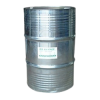
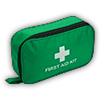
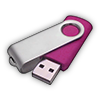
Copy the item images from sd-oilrig/images/ to your inventory's image folder. You can also download them directly from the container below.


4 Start the Resource
To load the resource, you can either:
- Restart your server entirely, or
- Run the following commands in your server console (F8 or txAdmin live console):
refresh
ensure sd-oilrig
Configuration
Configure the resource to fit your server's needs. See the Configuration page for detailed explanations of each setting, or edit config.lua directly in the resource folder.