
Installation
Supported Inventories
| Inventory | Status |
|---|---|
ox_inventory | Supported |
tgiann-inventory | Supported |
jaksam_inventory | Supported |
qs-inventory | Supported |
qs-inventory-pro | Supported |
qb-inventory | Supported |
ps-inventory | Supported |
lj-inventory | Supported |
codem-inventory | Supported |
Recommendation
We heavily recommend using ox_inventory — it's the best inventory system available and more importantly, it's completely free and open source! You won't be missing out on any features in our scripts if you use a different inventory, this is simply a recommendation.
Supported Minigames
You only need one of the following minigame resources installed. Pick whichever you prefer.
| Resource | Minigames |
|---|---|
ps-ui | ps-circle, ps-maze, ps-varhack, ps-thermite, ps-scrambler |
memorygame | memorygame-thermite |
ran-minigames | ran-memorycard, ran-openterminal |
hacking | hacking-opengame |
howdy-hackminigame | howdy-begin |
SN-Hacking | sn-memorygame, sn-skillcheck, sn-thermite, sn-keypad, sn-colorpicker |
rm_minigames | rm-typinggame, rm-timedlockpick, rm-timedaction, rm-quicktimeevent, rm-combinationlock, rm-buttonmashing, rm-angledlockpick, rm-fingerprint, rm-hotwirehack, rm-hackerminigame, rm-safecrack |
ox_lib | lib.skillCheck |
bl_ui | bl-circlesum, bl-digitdazzle, bl-lightsout, bl-minesweeper, bl-pathfind, bl-printlock, bl-untangle, bl-wavematch, bl-wordwiz |
glitch-minigames | gl-firewall-pulse, gl-backdoor-sequence, gl-circuit-rhythm, gl-surge-override, gl-circuit-breaker, gl-data-crack, gl-brute-force, gl-var-hack |
Dependencies
Ensure the following dependencies are installed and running on your server before starting:
| Dependency | Required | Notes |
|---|---|---|
| Framework | Yes | qb-core / qbx_core / es_extended |
| sd_lib | Yes | |
| Target System | Yes | ox_target / qb-target / qtarget / TextUI fallback |
| Minigame | Yes | Any of the supported minigames listed above |
| Inventory | Yes | Any of the supported inventories listed above |
TIP
Framework, target system, and inventory are all automatically detected — no configuration needed.
1 Add the Resource
- Download the latest version of
sd-warehousefrom the CFX Portal - Extract it into your server's
resourcesdirectory - Ensure the resource is started in your
server.cfg(orresources.cfg, in case you load resources differently). Simply ensuring the sub-folder (i.e.ensure [sd]) will work too, provided dependencies are started in a separate sub-folder before. Here's an example:
ensure sd_lib
ensure ox_lib
ensure ox_target
ensure qb-core

ensure sd-warehouse
2 Add Items
Register the thermite item in your inventory system:
['thermite_h'] = {
    label = 'Thermite',
    weight = 1000,
    stack = false,
    close = true,
    description = 'A low-yield thermite charge..',
},['thermite_h'] = { name = 'thermite_h', label = 'Thermite', weight = 1000, type = 'item', image = 'thermite_h.png', unique = true, useable = true, shouldClose = true, description = 'A low-yield thermite charge..' },INSERT INTO `items` (`name`, `label`, `weight`) VALUES
('thermite_h', 'Thermite', 20);Also ensure all loot reward items exist in your inventory system (gold bars, laptops, weapons, drugs, etc.).
3 Add Item Images
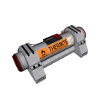
Copy the item images from sd-warehouse/images/ to your inventory's image folder. You can also download them directly from the container below.
4 Start the Resource
To load the resource, you can either:
- Restart your server entirely, or
- Run the following commands in your server console (F8 or txAdmin live console):
refresh
ensure sd-warehouse
Configuration
Configure the resource to fit your server's needs. See the Configuration page for detailed explanations of each setting, or edit the config files directly in the resource's configs/ folder.