
Installation
Follow these steps to install sd-dumpsters on your FiveM server.
Supported Inventories
| Inventory | Status |
|---|---|
ox_inventory | Supported |
codem-inventory | Supported |
tgiann-inventory | Supported |
jaksam_inventory | Supported |
qs-inventory-pro | Supported |
origen_inventory | Supported |
Recommendation
We heavily recommend using ox_inventory — it's the best inventory system available and more importantly, it's completely free and open source! You won't be missing out on any features in our scripts if you use a different inventory, this is simply a recommendation.
Supported Minigames
You only need one of the following minigame resources installed. Pick whichever you prefer.
| Resource | Minigames |
|---|---|
ps-ui | ps-circle, ps-maze, ps-varhack, ps-thermite, ps-scrambler |
memorygame | memorygame-thermite |
ran-minigames | ran-memorycard, ran-openterminal |
hacking | hacking-opengame |
howdy-hackminigame | howdy-begin |
SN-Hacking | sn-memorygame, sn-skillcheck, sn-thermite, sn-keypad, sn-colorpicker |
rm_minigames | rm-typinggame, rm-timedlockpick, rm-timedaction, rm-quicktimeevent, rm-combinationlock, rm-buttonmashing, rm-angledlockpick, rm-fingerprint, rm-hotwirehack, rm-hackerminigame, rm-safecrack |
ox_lib | lib.skillCheck |
bl_ui | bl-circlesum, bl-digitdazzle, bl-lightsout, bl-minesweeper, bl-pathfind, bl-printlock, bl-untangle, bl-wavematch, bl-wordwiz |
glitch-minigames | gl-firewall-pulse, gl-backdoor-sequence, gl-circuit-rhythm, gl-surge-override, gl-circuit-breaker, gl-data-crack, gl-brute-force, gl-var-hack |
Dependencies
Ensure the following dependencies are installed and running on your server before starting:
| Dependency | Required | Notes |
|---|---|---|
| Framework | Yes | qb-core / qbx_core / es_extended |
| ox_lib | Yes | |
| oxmysql | Yes | |
| Target System | Yes | ox_target / qb-target / qtarget (or built-in TextUI fallback) |
| Minigame | Optional | Any of the supported minigames listed above, can be disabled |
| Inventory | Yes | Any of the supported inventories listed above |
TIP
Framework, target system, and inventory are all automatically detected — no configuration needed. Any required database tables are also created automatically on first start.
1 Add the Resource
- Download the latest version of
sd-dumpstersfrom the CFX Portal - Extract it into your server's
resourcesdirectory - Ensure the resource is started in your
server.cfg(orresources.cfg, in case you load resources differently). Simply ensuring the sub-folder (i.e.ensure [sd]) will work too, provided dependencies are started in a separate sub-folder before. Here's an example:
ensure ox_lib
ensure oxmysql
ensure qb-core

ensure sd-dumpsters
2 Add Items
You must register two core items in your inventory system: powersaw and bottle_cap. These correspond to the config keys Config.Items.Grinder ('powersaw') and Config.Items.BottleCap ('bottle_cap').
The power saw is used to open locked dumpsters. Bottle caps are the alternative currency for the Hobo King shop.
['powersaw'] = {
    label = 'Power Saw',
    weight = 2500,
    stack = true,
    close = true,
    description = 'A powerful tool designed for cutting wood, metal, and other materials with precision and ease.',
},

['bottle_cap'] = {
    label = 'Bottle Cap',
    weight = 1,
    stack = true,
    close = false,
    description = 'A small metallic cap from a bottle. Seems insignificant, but collectors might find it valuable.',
},['powersaw'] = {
name = 'powersaw',
label = 'Power Saw',
weight = 2500,
type = 'item',
image = 'powersaw.png',
unique = false,
useable = false,
shouldClose = true,
description = 'A powerful tool designed for cutting wood, metal, and other materials with precision and ease.',
},
['bottle_cap'] = {
name = 'bottle_cap',
label = 'Bottle Cap',
weight = 1,
type = 'item',
image = 'bottle_cap.png',
unique = false,
useable = false,
shouldClose = false,
description = 'A small metallic cap from a bottle. Seems insignificant, but collectors might find it valuable.',
},-- Register items in your ESX items table
INSERT INTO `items` (`name`, `label`, `weight`, `rare`, `can_remove`) VALUES
('powersaw', 'Powersaw', 2500, 0, 1),
('bottle_cap', 'Bottle Cap', 1, 0, 1);INFO
All reward items in the default config are placeholders. We recommend modifying the loot tables to use items that already exist on your server. You can find the full list of configurable loot tables in the Configuration page, or directly in the configs/ folder.
3 Add Item Images
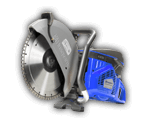
Copy the item images from sd-dumpsters/images/ to your inventory's image folder. You can also download them directly from the container below.

4 Start the Resource
To load the resource, you can either:
- Restart your server entirely, or
- Run the following commands in your server console (F8 or txAdmin live console):
refresh
ensure sd-dumpsters
Configuration
Configure the resource to fit your server's needs. See the Configuration page for detailed explanations of each setting, or edit the config files directly in the resource's configs/ folder.